Making a single violation tell its whole story
Laminar is a cloud data security platform for visibility, privacy, and governance across cloud data. This case focuses on the single violation pane: the place where users investigate one violation, understand its impact, and decide how to remediate it.
I led the redesign from research synthesis and information architecture to concept exploration, user flows, prototyping, and final handoff. The core problem was context switching: users had to piece together one violation across pages and tools. The key move was keeping the full investigation inside one pane, using tabs to reveal depth without recreating clutter.
Instead of sending users across pages and tools to investigate one violation, everything they need now lives in a single pane.
Research synthesis, information architecture, concept exploration, user flows, prototyping and handoff.
Figma
Miro
Maze
Jira & Confluence
Loom
GitHub
Product Design Lead
Product Manager
Technical UX Writer
4 Full-stack Developers
The problem
Analyzing a violation in an identified cloud asset was harder than it should have been. To act on one, users needed to quickly understand four things: what the violation was, which assets it affected, what the impact was, and how to fix it, but the panel made none of them easy to find.
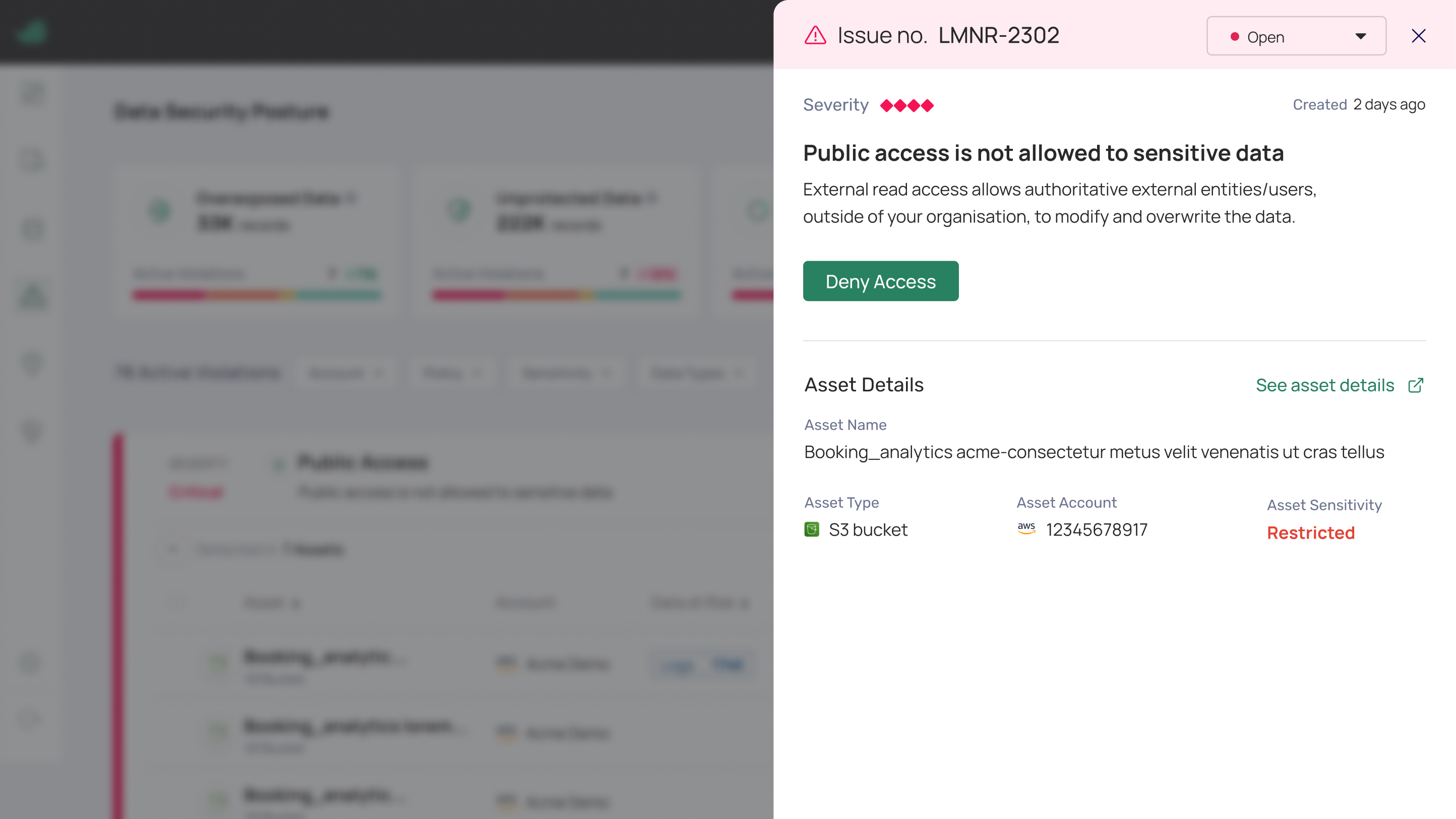
It wasn't a data problem, it was a navigation problem. Users couldn't easily understand the cause of a violation or move between related information: they had to leave their current context, search across multiple pages, open other tools, and spend real time just gathering the picture. Over time, more categories were bolted onto the panel, making it increasingly cluttered, so finding relevant information only got slower and more frustrating.
- Investigating a violation meant leaving the current context and searching across multiple pages.
- Key information lived in different tools, so users had to jump between them to understand one violation.
- The panel had accumulated categories over time, burying what mattered under clutter.
The challenges
The goal was to turn a cluttered panel into a single place where a user could understand a violation and act on it, without leaving, searching, or switching tools. That meant making cloud-security complexity feel simple without dumbing it down.
The challenges
- Understand policies and identify the violated data assets
- Streamline investigation with root-cause analysis and key insights, instead of manual digging
- Present dense violation data through an intuitive interface, and give clear remediation guidance
Trade-offs
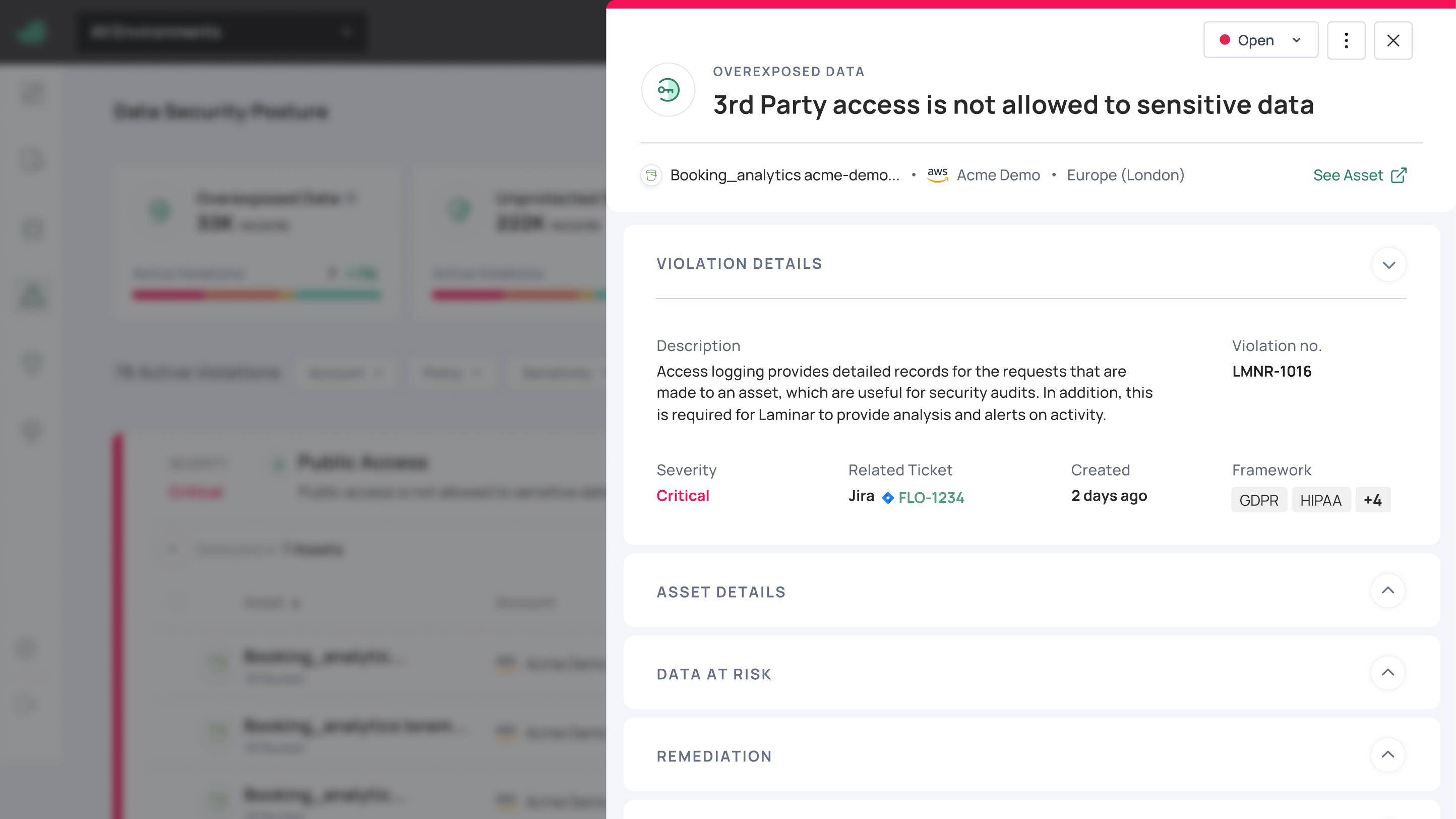
- The old panel failed because everything was visible at once: the fix was tabs, so the full story is there but users only face one category at a time
- Added root-cause analysis and access flow directly into the pane rather than linking out, denser screen, but users stop leaving their context
- Kept the three core actions always visible at the top instead of inside a menu, remediation is the reason users are there, so it shouldn't be a click away
Research and user needs
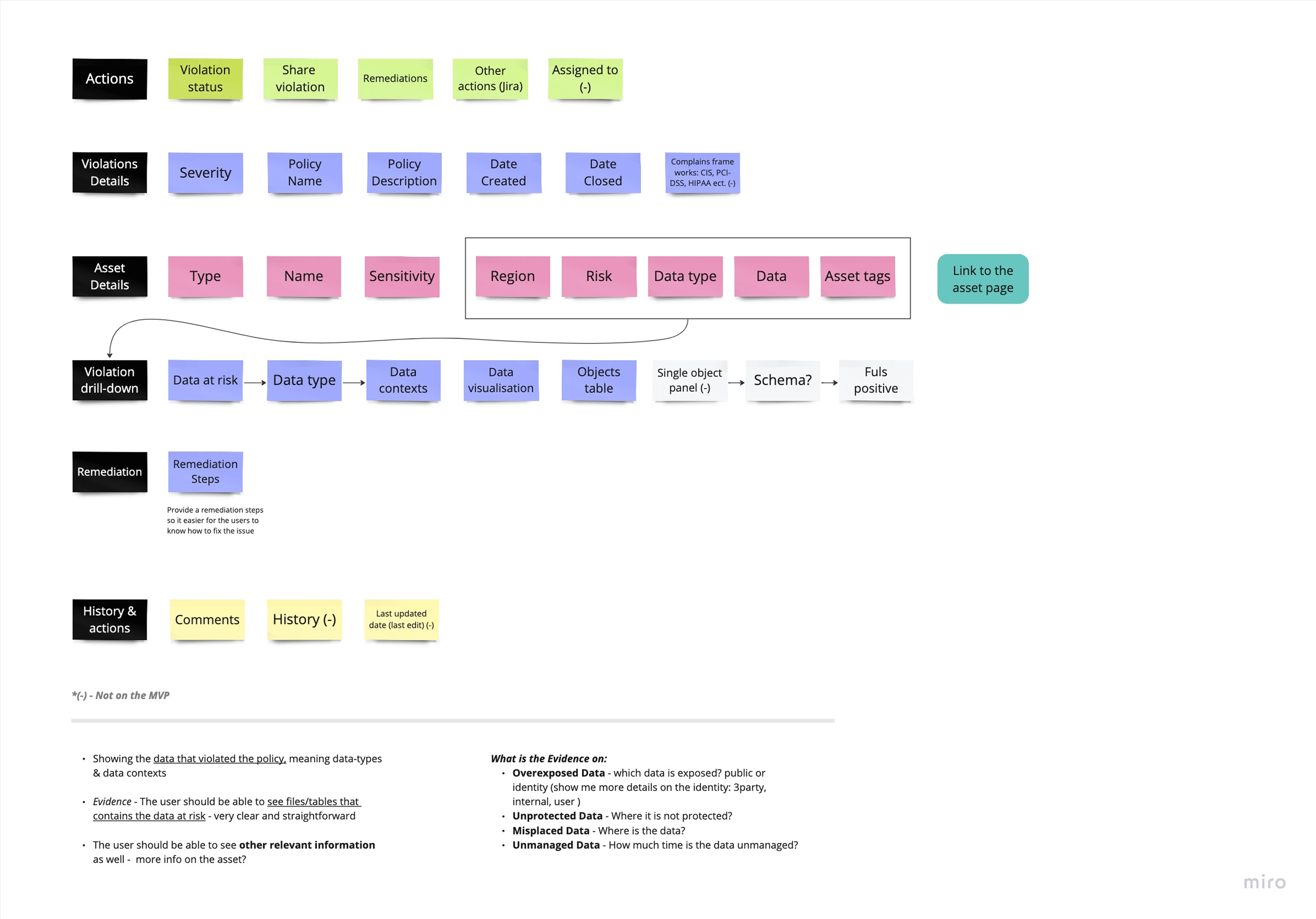
I synthesized user needs from platform data, 11 customer interviews, policy requirements, cloud-security considerations and data-governance workflows. The clearest signal: users didn't struggle to understand a violation once they had the information, they struggled to gather it, constantly switching context. From there I developed new interaction concepts, a revised information architecture, and updated user flows, then tested directly with users before handoff.
Exploring solutions
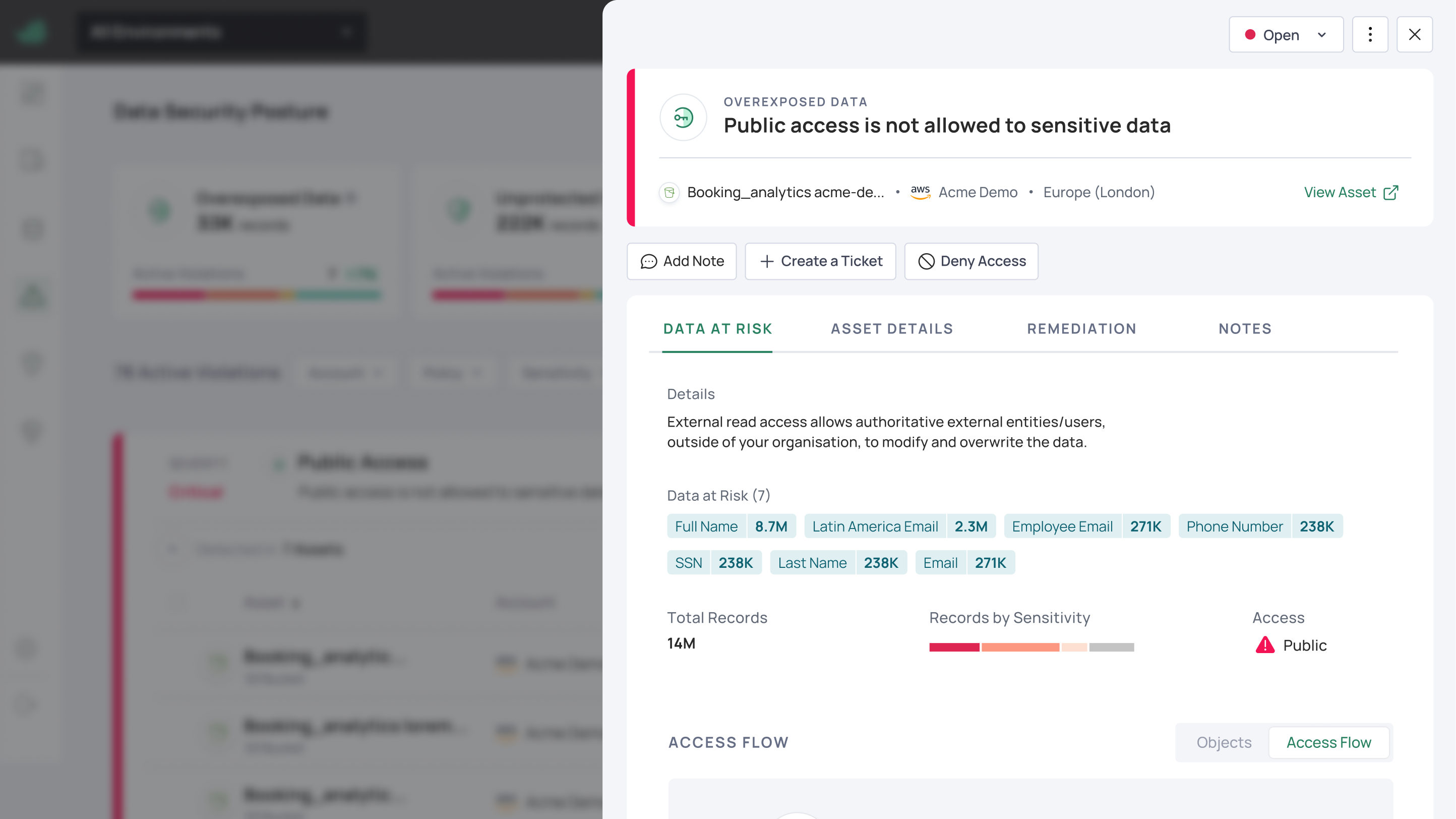
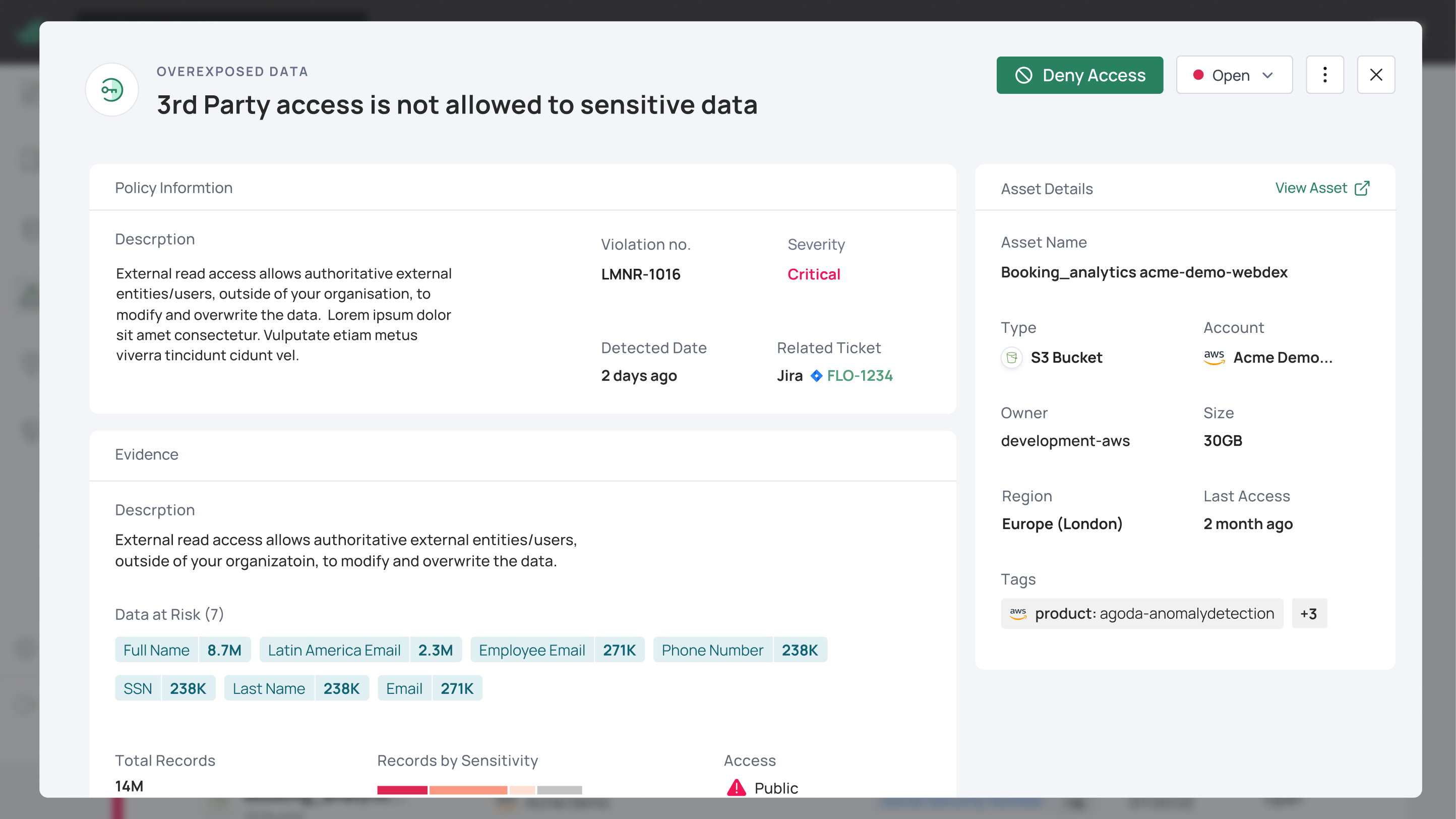
I explored three ways to organize a dense violation into one pane: each a different answer to the same question: how do you show everything a user needs without recreating the clutter that broke the old panel? The difference between them was how much the user sees at once versus how much is tucked away.
User flow
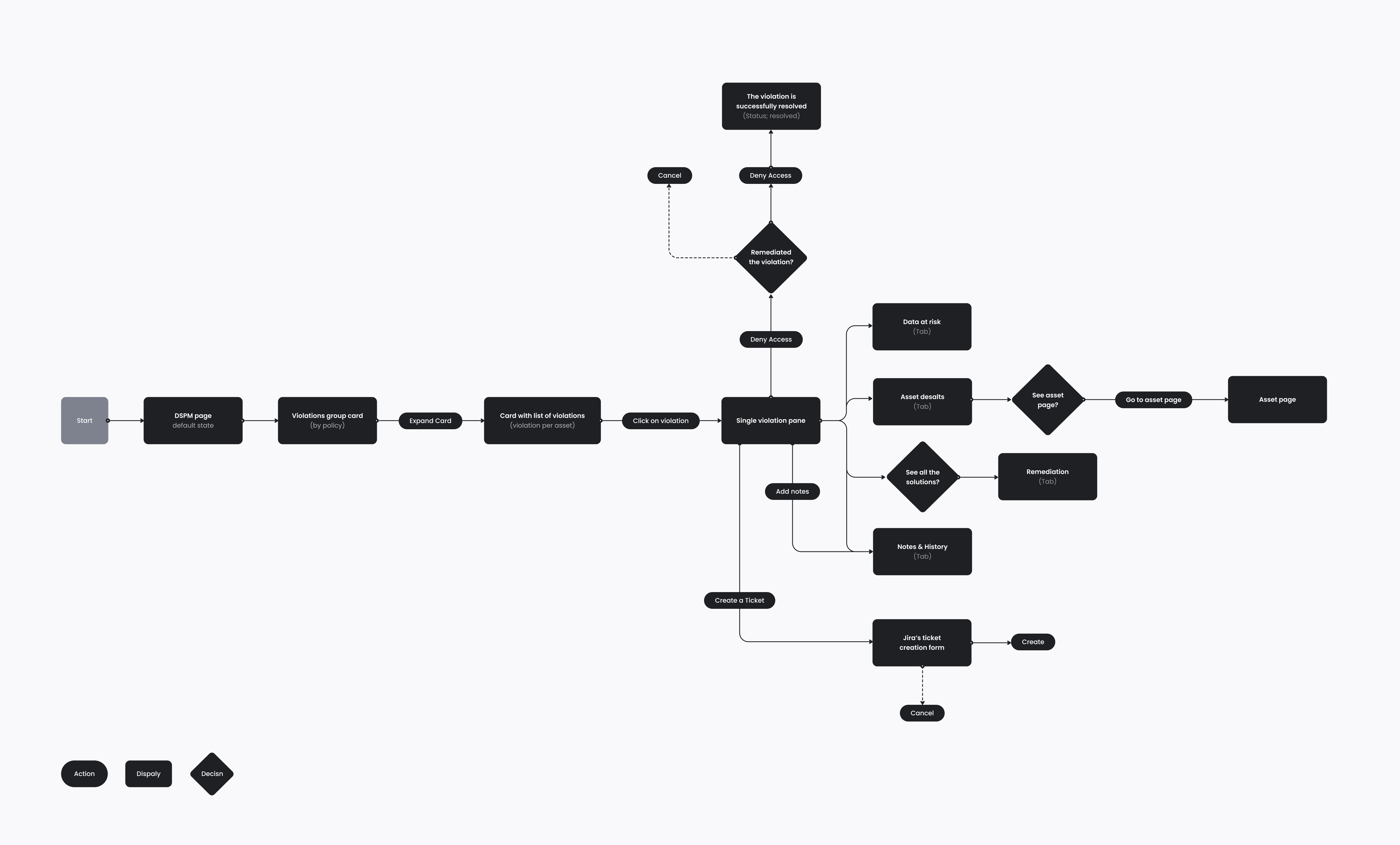
I mapped the full investigation flow: from the DSPM page, through the violations list, into the single violation pane, and out to every action a user might take: reviewing data at risk, checking asset details, creating a Jira ticket, adding notes, or denying access to remediate. Mapping it this way showed exactly where the old panel forced users out of context, and became the backbone of the redesign.
The final design
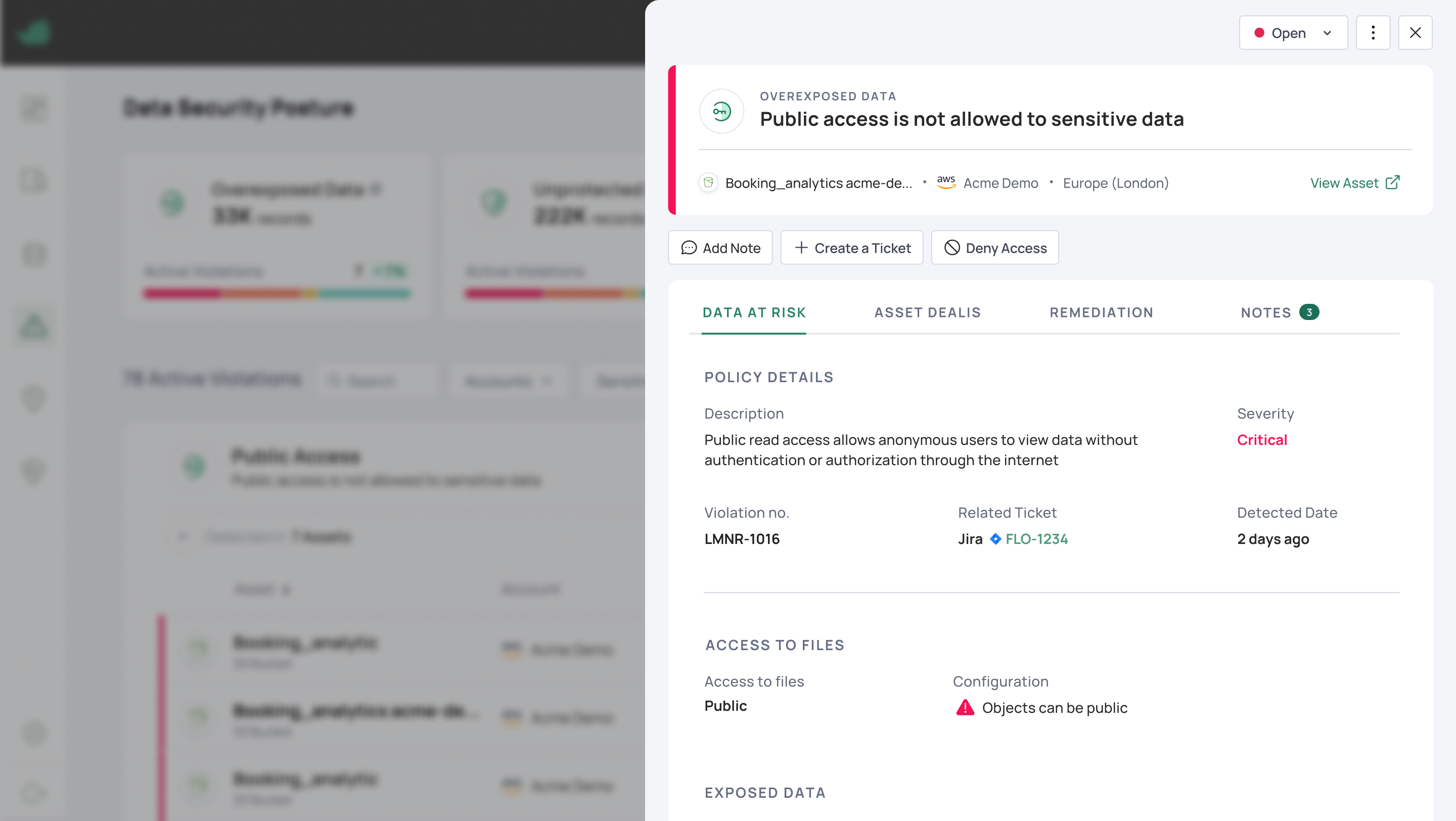
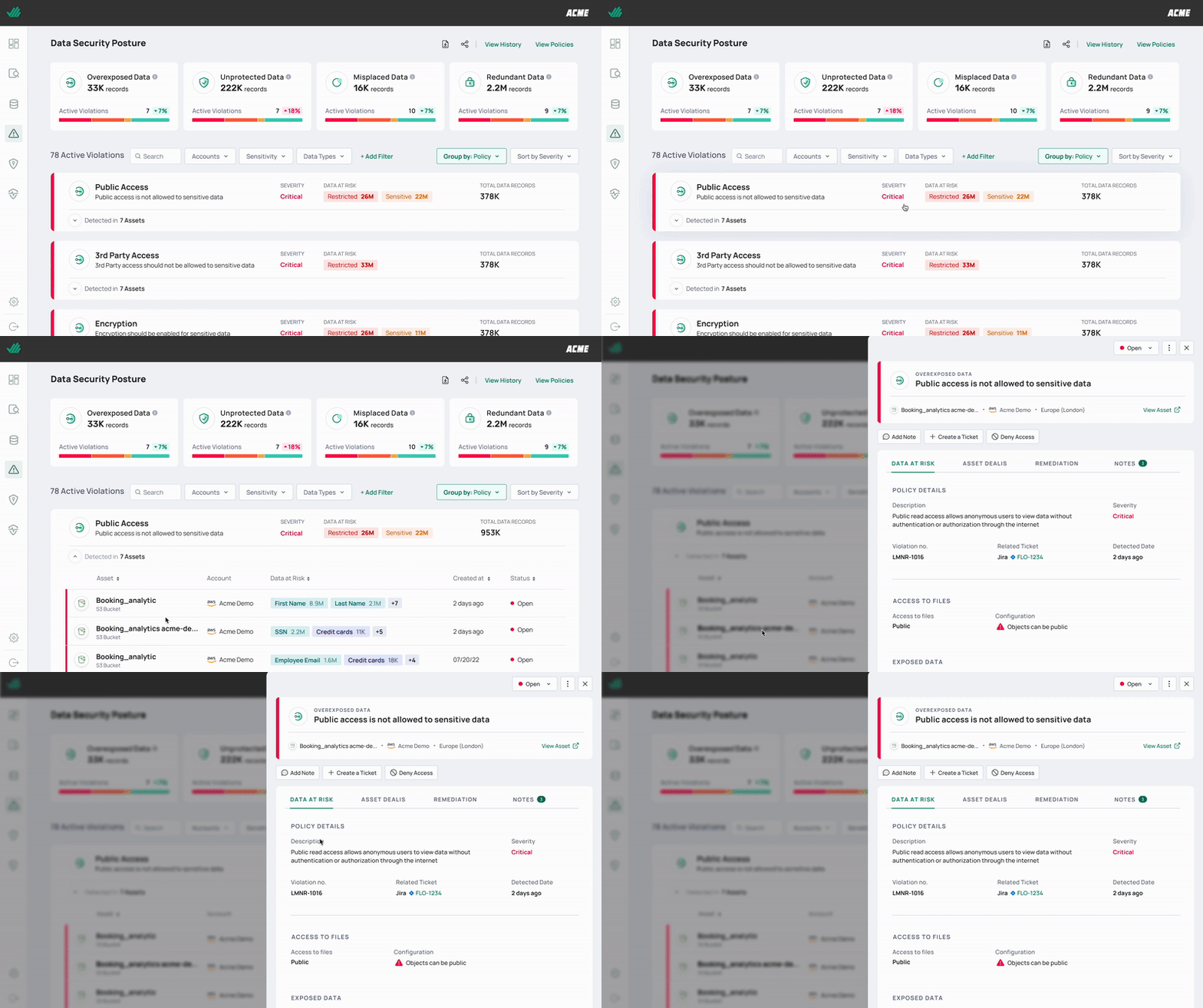
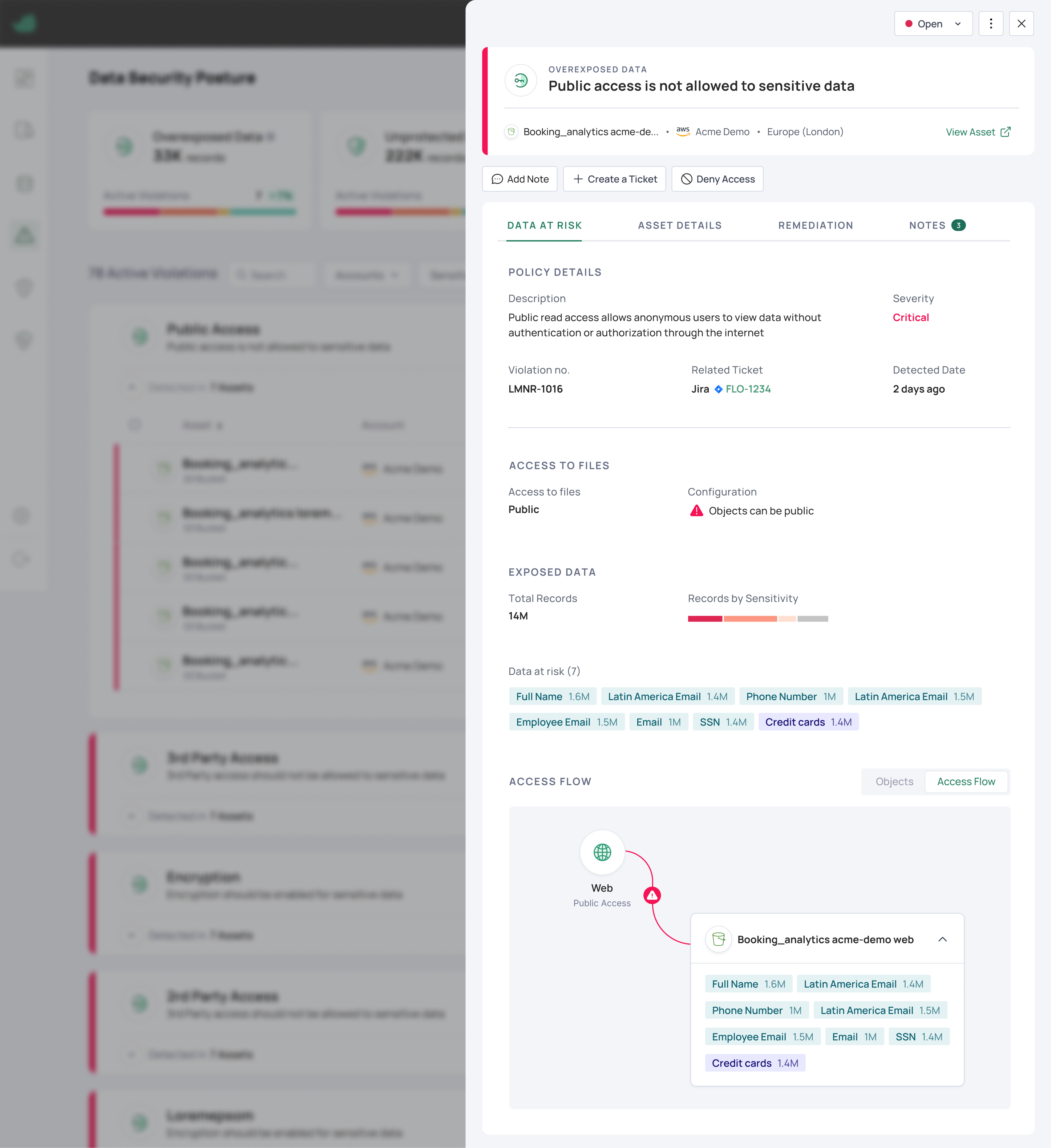
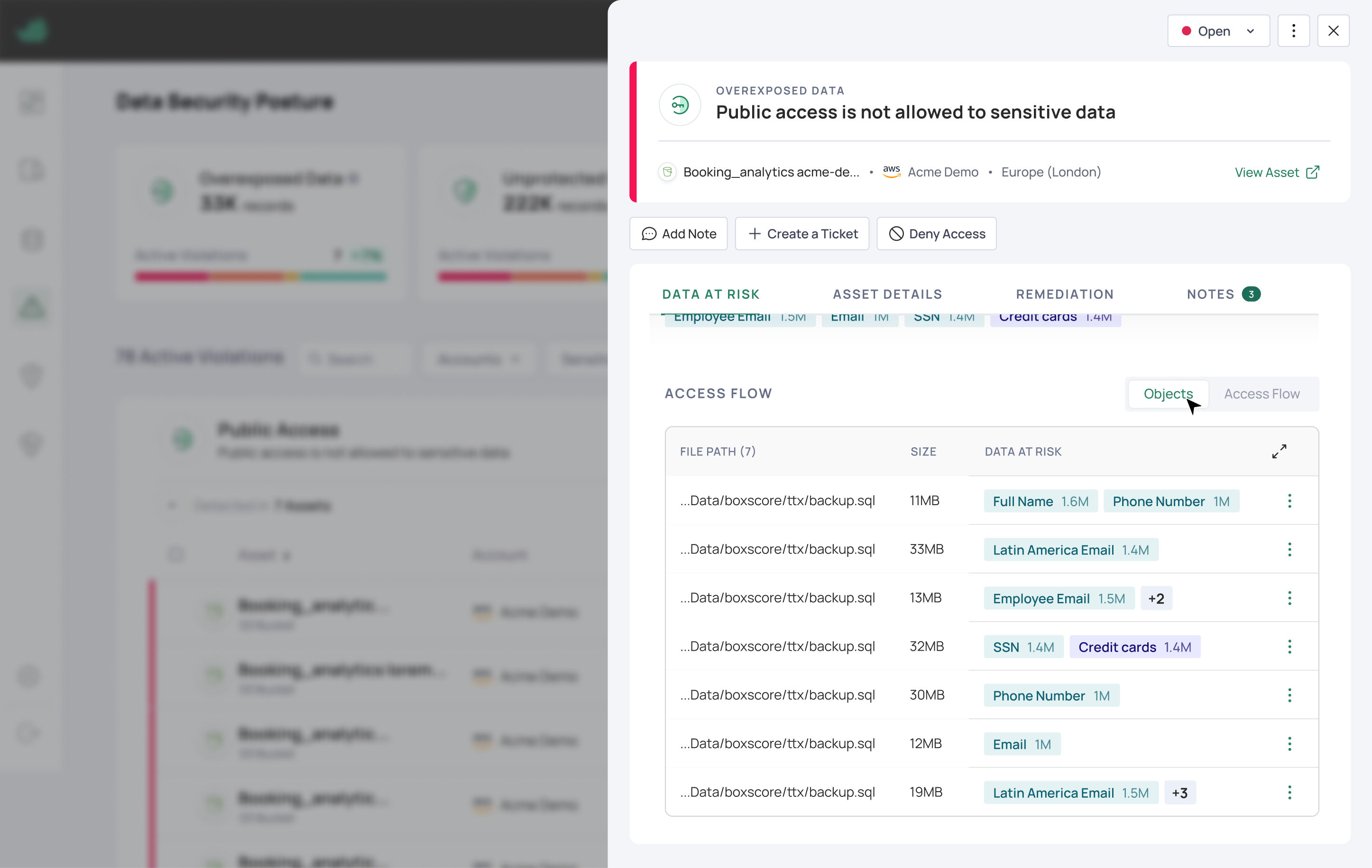
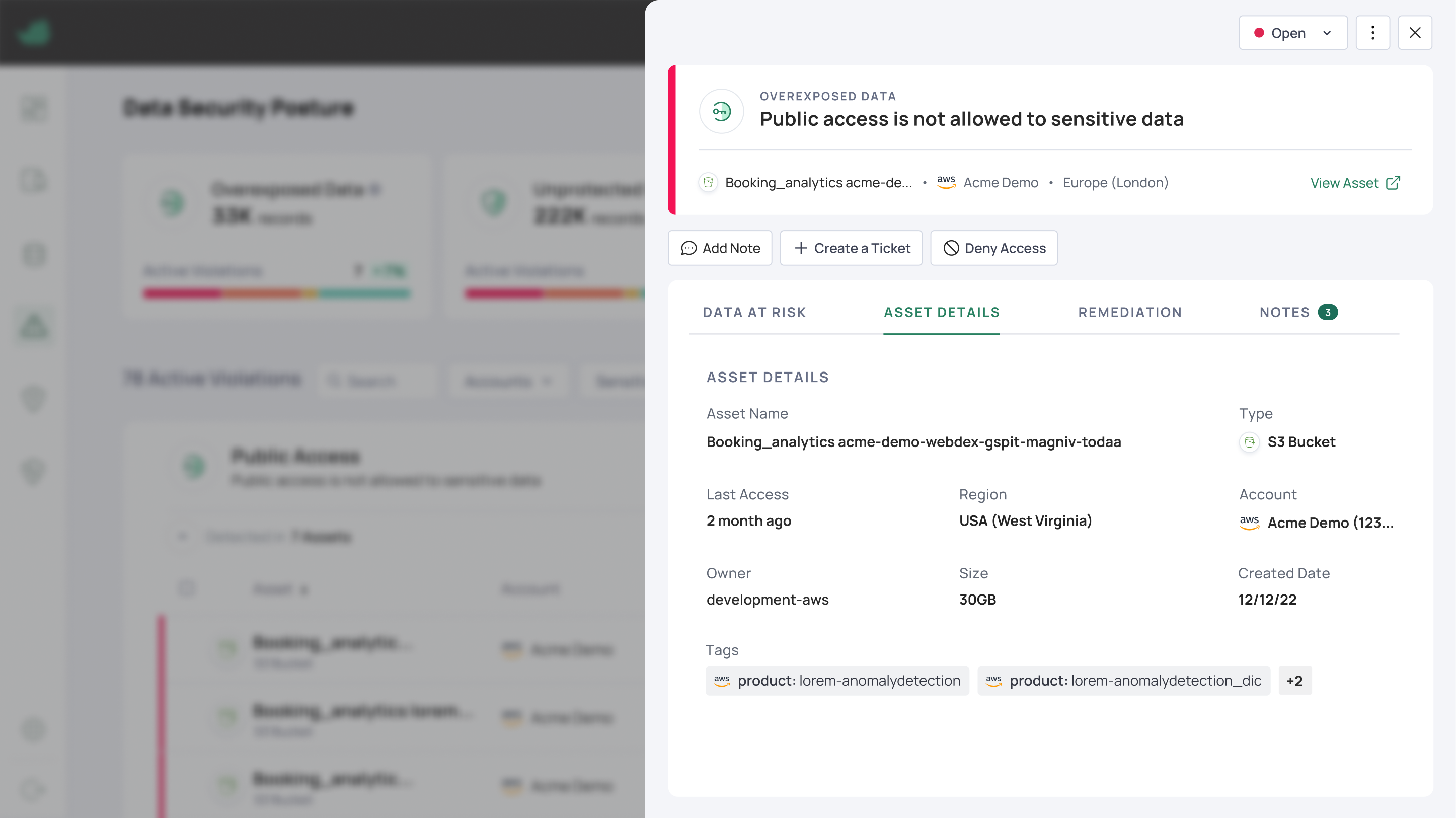
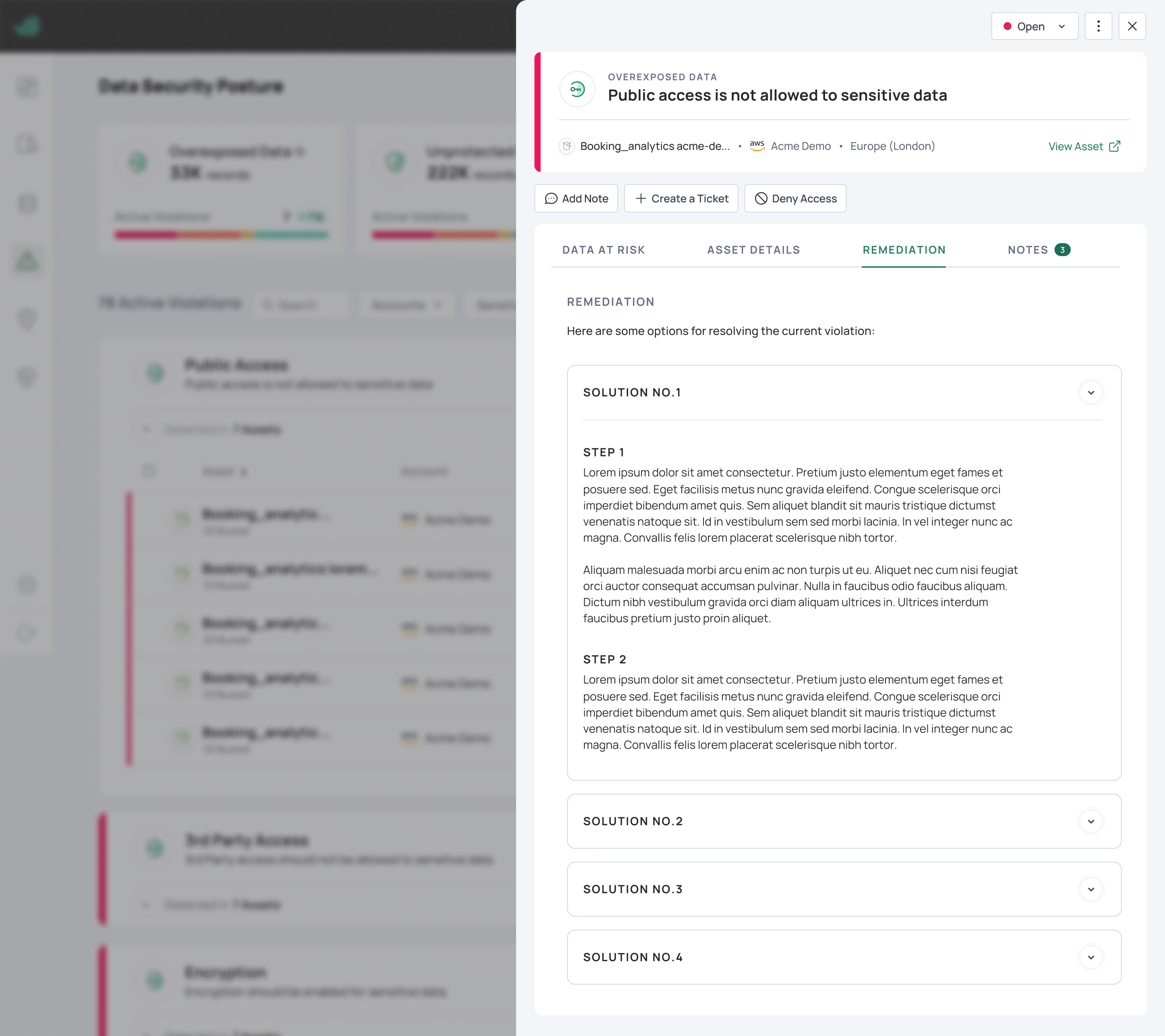
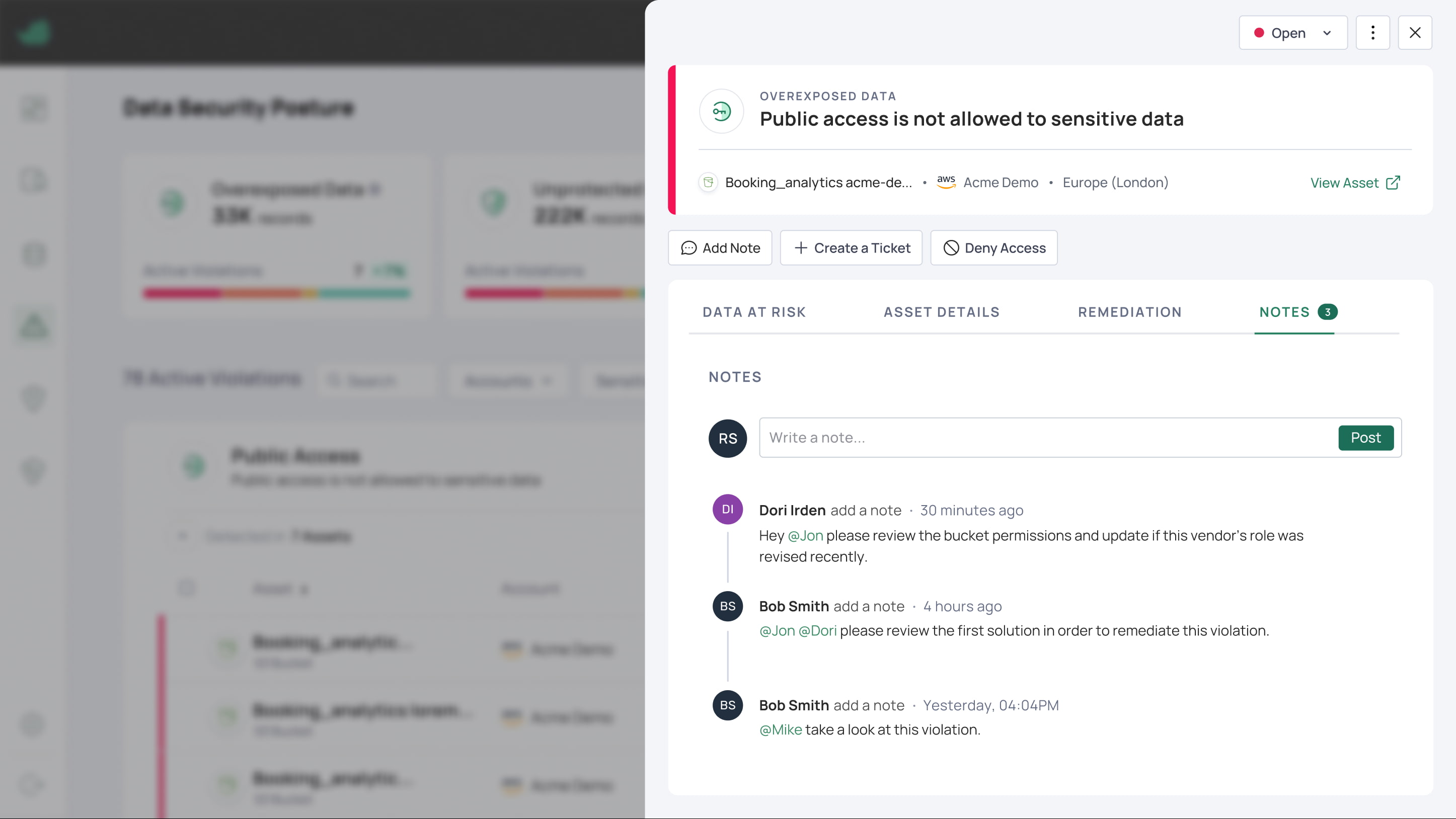
The final design organizes the violation into four tabs: Data at Risk, Asset Details, Remediation, and Notes, with the three key actions (Add Note, Create a Ticket, Deny Access) always pinned at the top. Each tab does one job well: Data at Risk shows policy details, exposed records by sensitivity, and an Access Flow you can view as a visual map or a list of objects; Asset Details holds everything about the affected asset; Remediation lays out step-by-step solutions; and Notes lets the team comment, tag each other, and document decisions. Everything that used to live across separate pages and tools now lives in a single pane.
"I liked the fact that it provides continuous visibility into our data and determines what data violates security policies and how." - Grindr's security engineer
Results & Adoption
The violation pane shipped as part of Laminar's DSPM, which launched in late 2023. This was the screen users landed on to actually understand and fix a violation, so getting it right meant the difference between a finding they could act on and one they'd ignore.
Pulling the full story of a violation into one pane: what it is, what it affects, and how to fix it, removed the constant tool-switching that made investigation slow. Users could stay in one place from the first alert to the fix.
- Part of the DSPM redesign that drove +86% customer logins and +16% of users remediating violations through the product.
- "Our company deals with a lot of sensitive customer data, so having a tool that helps prevent exposure is critical for us. It helps me identify and manage potential risks faster." - Payability's data program manager