Helping non-technical users trust model retraining
BeyondMinds built automated machine-learning tools for teams creating models in industries such as manufacturing and finance. This case focuses on the retraining flow: the moment a live model's performance drops and a non-technical user needs to decide whether to deploy a new version.
The retraining experience was designed from the ground up: from user journeys and wireframes to visual design, design-system foundations, dev handoff, and build support. The core problem was confidence: retraining was technically complex, but the decision had to feel understandable. The key move was comparing the new model against the previous one side by side.
The model was already accurate. My job was to make people trust it enough to act.
User journeys, wireframes, visual design, design-system foundations, dev handoff and build support.
Figma
Miro
Notion
Zeplin
Pen & paper
Product Design Lead
UX Designer
Project Manager
2 Full-stack Developers
The challenges & user needs
Retraining is one of the most technical moments in the life of an ML model, but the people who needed to do it weren't all data scientists. There was no existing screen to improve here; I designed this experience from the ground up, starting from one question: what would make a non-technical user actually trust this process?
The real challenge was trust. Asking a non-technical user to retrain and deploy a model is asking them to take a risk they don't fully understand, so the design had to make the process approachable, transparent, and predictable, or people simply wouldn't use it.
- User-friendly interface: make a highly technical process approachable for non-technical users, reducing complexity and helping them retrain with confidence.
- Access to relevant data: help users easily identify and select high-quality data for retraining, building confidence in the process and the resulting model.
- Feedback and transparency: give clear visibility into the retraining process: progress, expected outcomes, and the impact on model performance.
- Managing expectations: set realistic expectations around the time, effort, and limits of retraining, reducing uncertainty and keeping users in control.
Competitive analysis
I ran a competitive analysis of existing ML model-retraining platforms, and found a consistent pattern: most suffered from generic design, poor usability, no clear hierarchy, and an overload of data. That gap mattered: industry research shows the vast majority of models silently lose accuracy over time. If the people who need to retrain can't understand the tool, the model decays.
What competitors got wrong
- Generic design that didn't fit the task or the user
- No clear hierarchy: everything competed for attention at once
- An overload of data, with no guidance on what mattered
Trade-offs
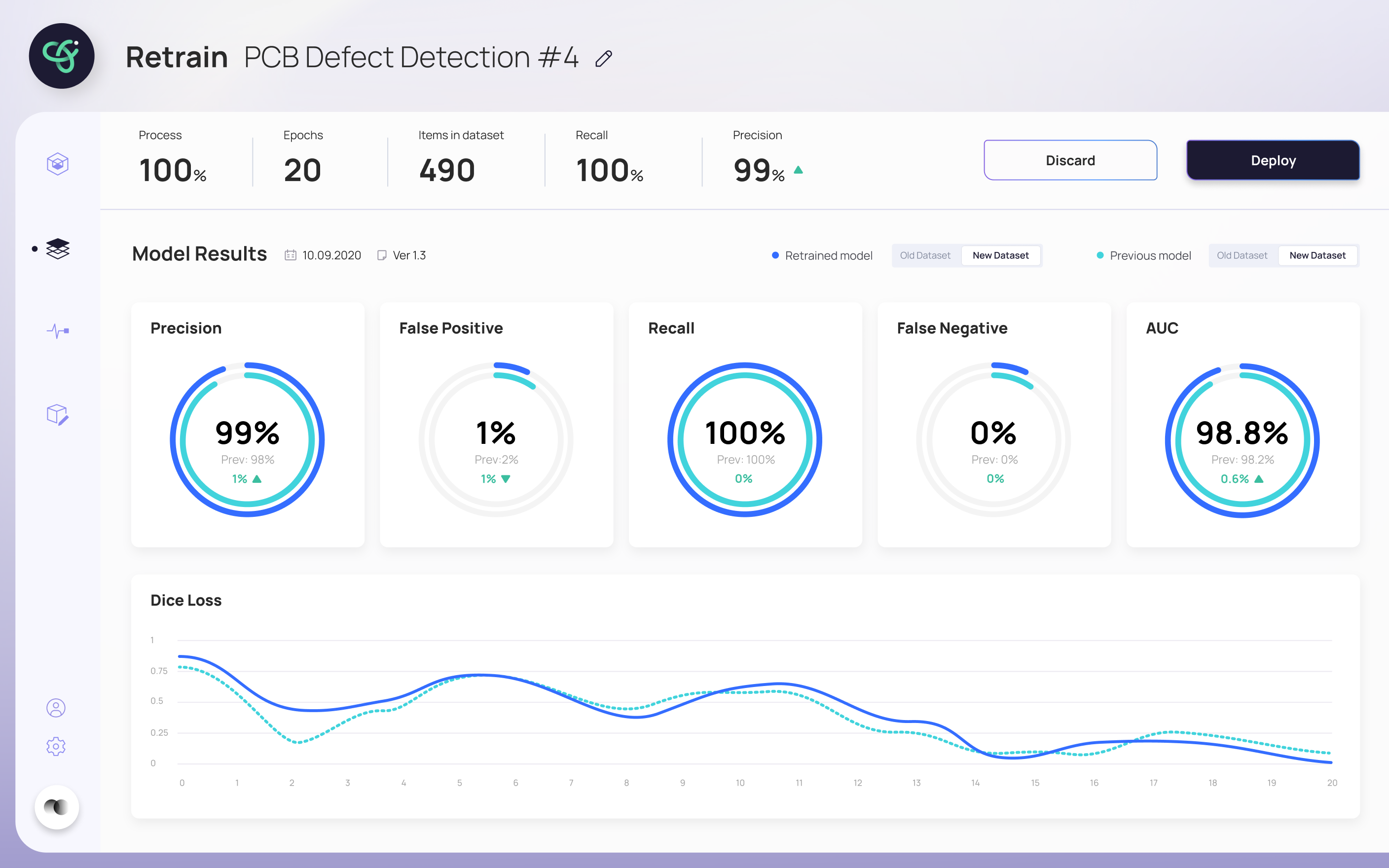
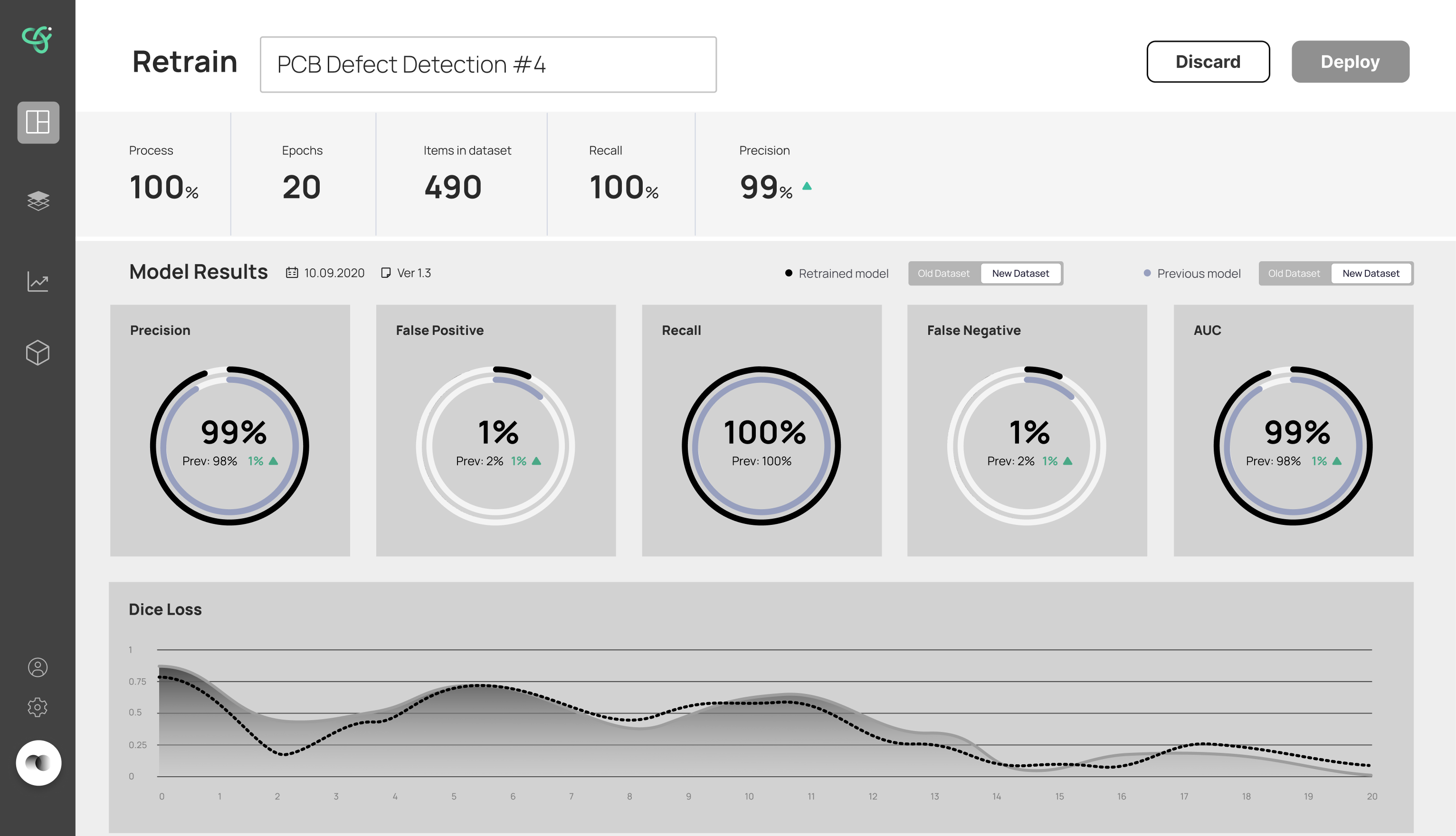
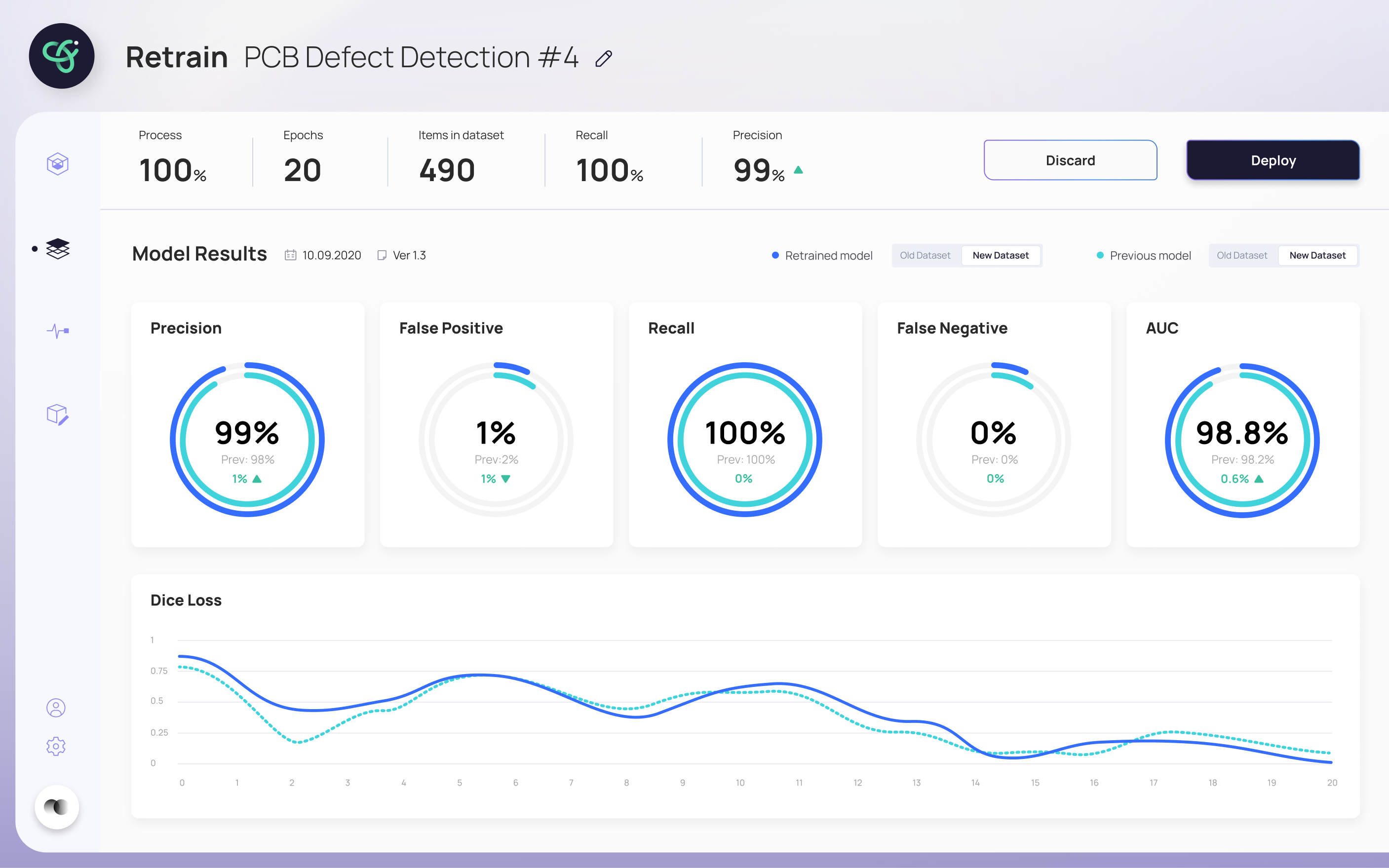
- Kept technical metrics (Precision, Recall, AUC, Dice Loss) front and center, pairing each with a plain comparison makes them readable, not intimidating
- Showed the new model side-by-side with the previous one, turns "is this better?" from a judgment call into something you can see
- Built a guided step-by-step flow rather than a single dense control panel, more screens, but each step asks for just one decision
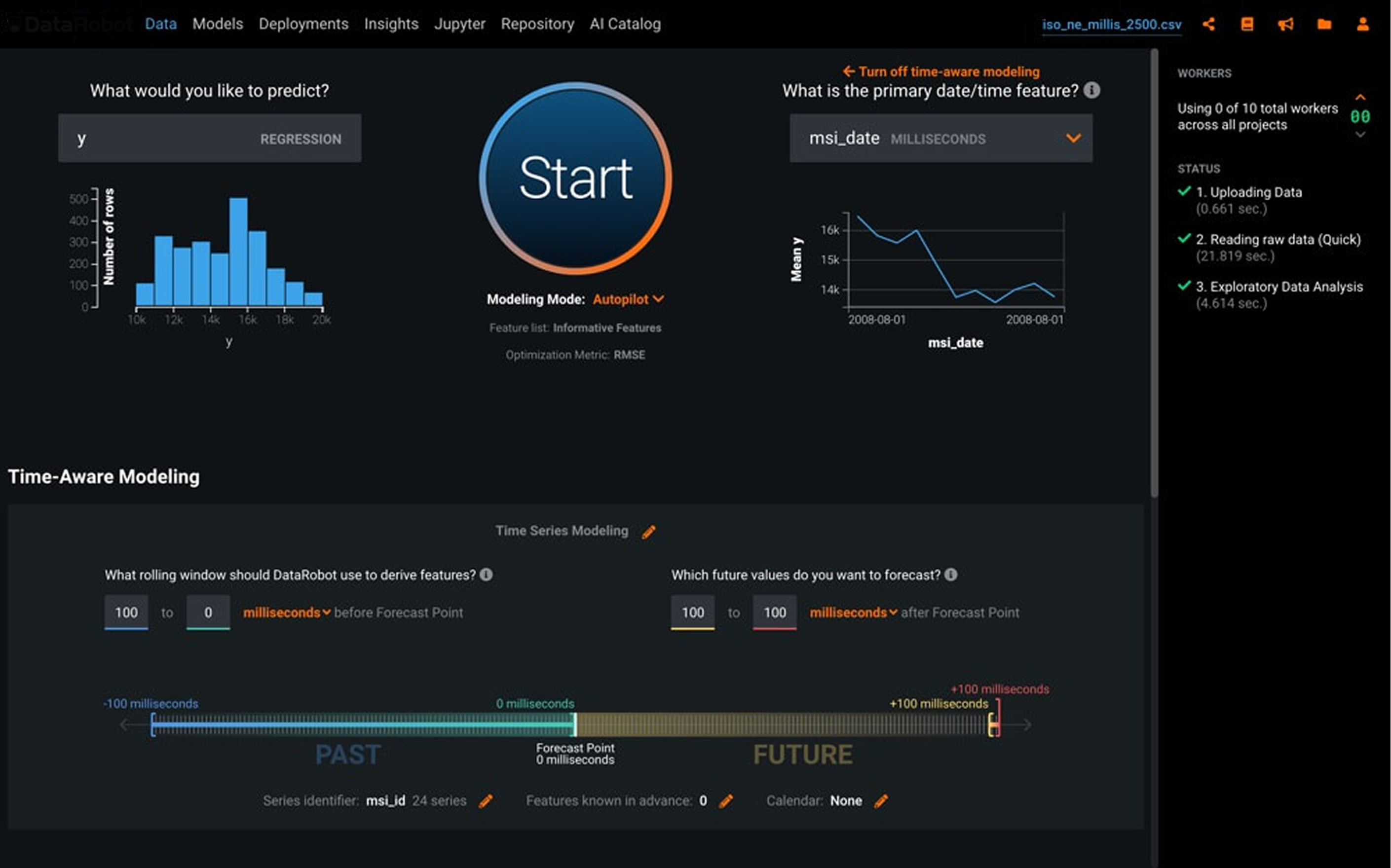
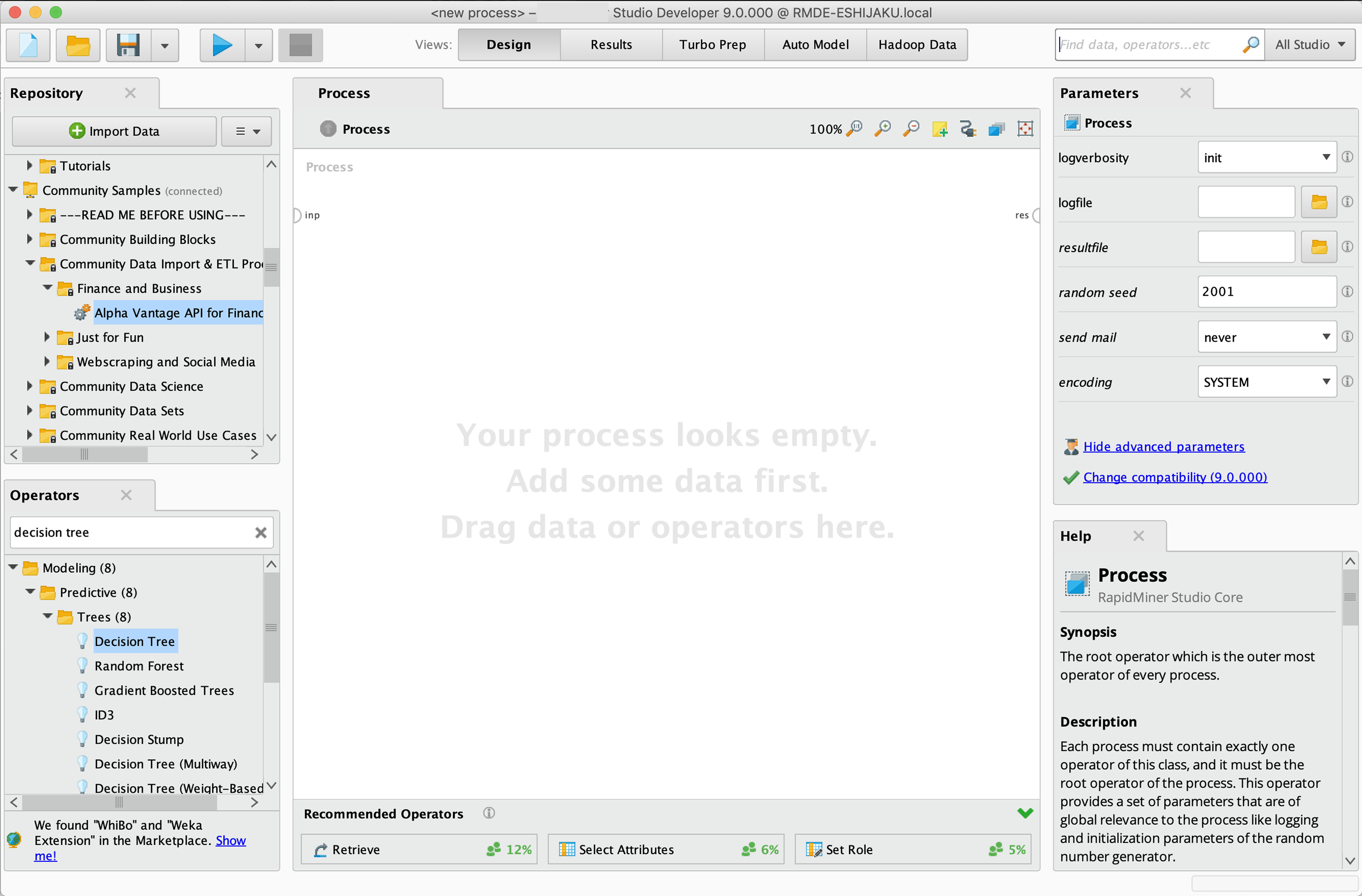
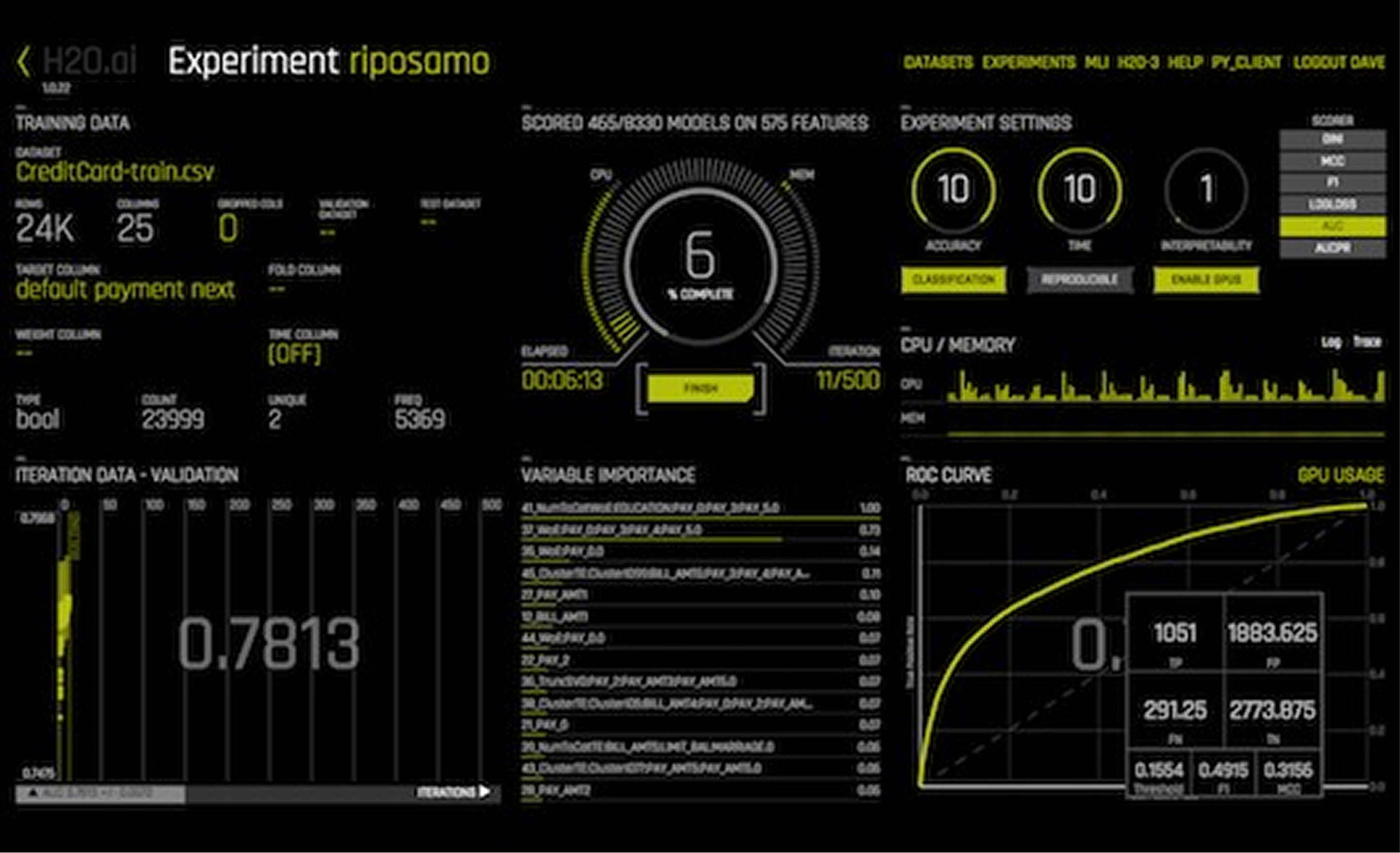
Wireframes
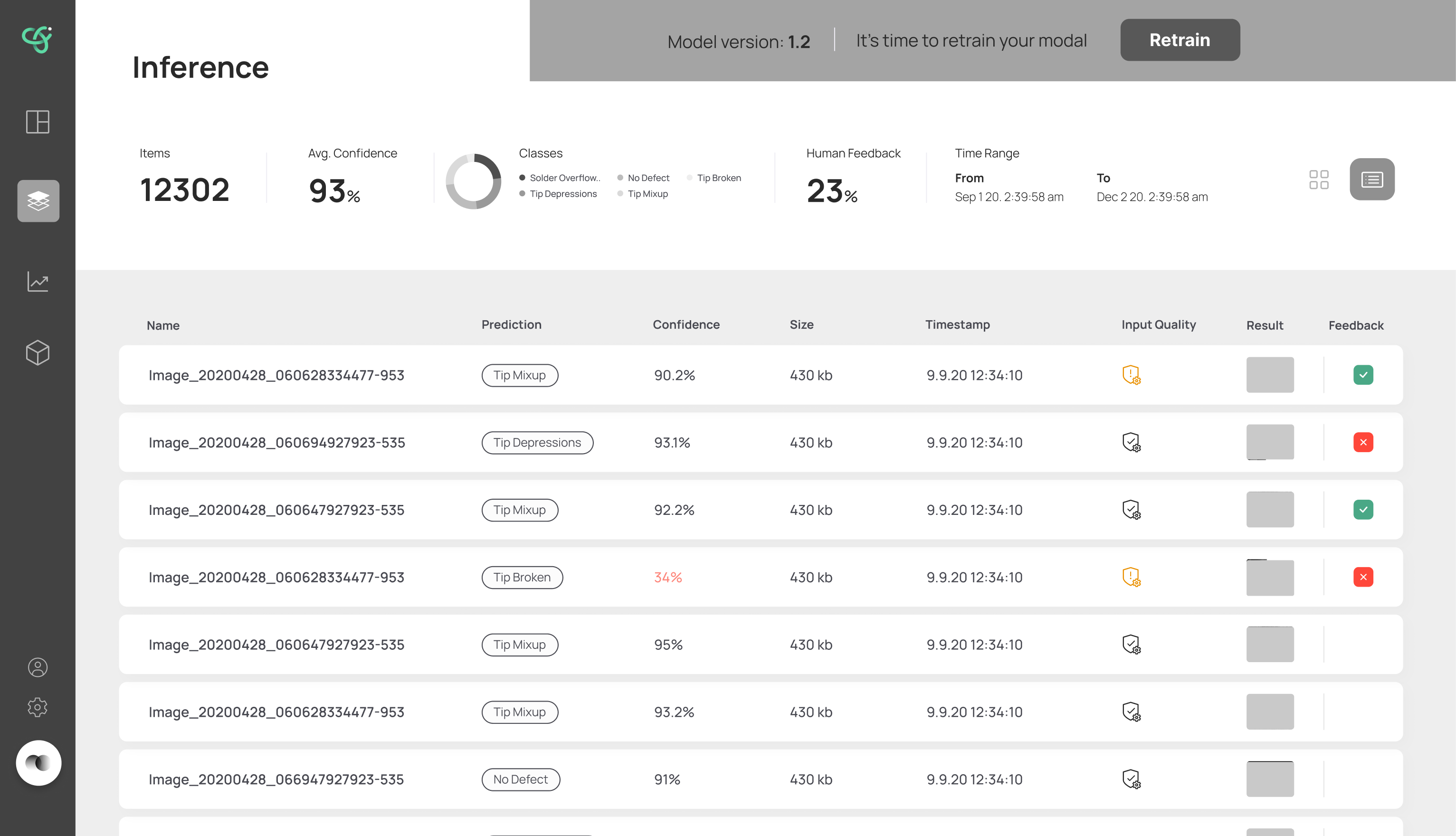
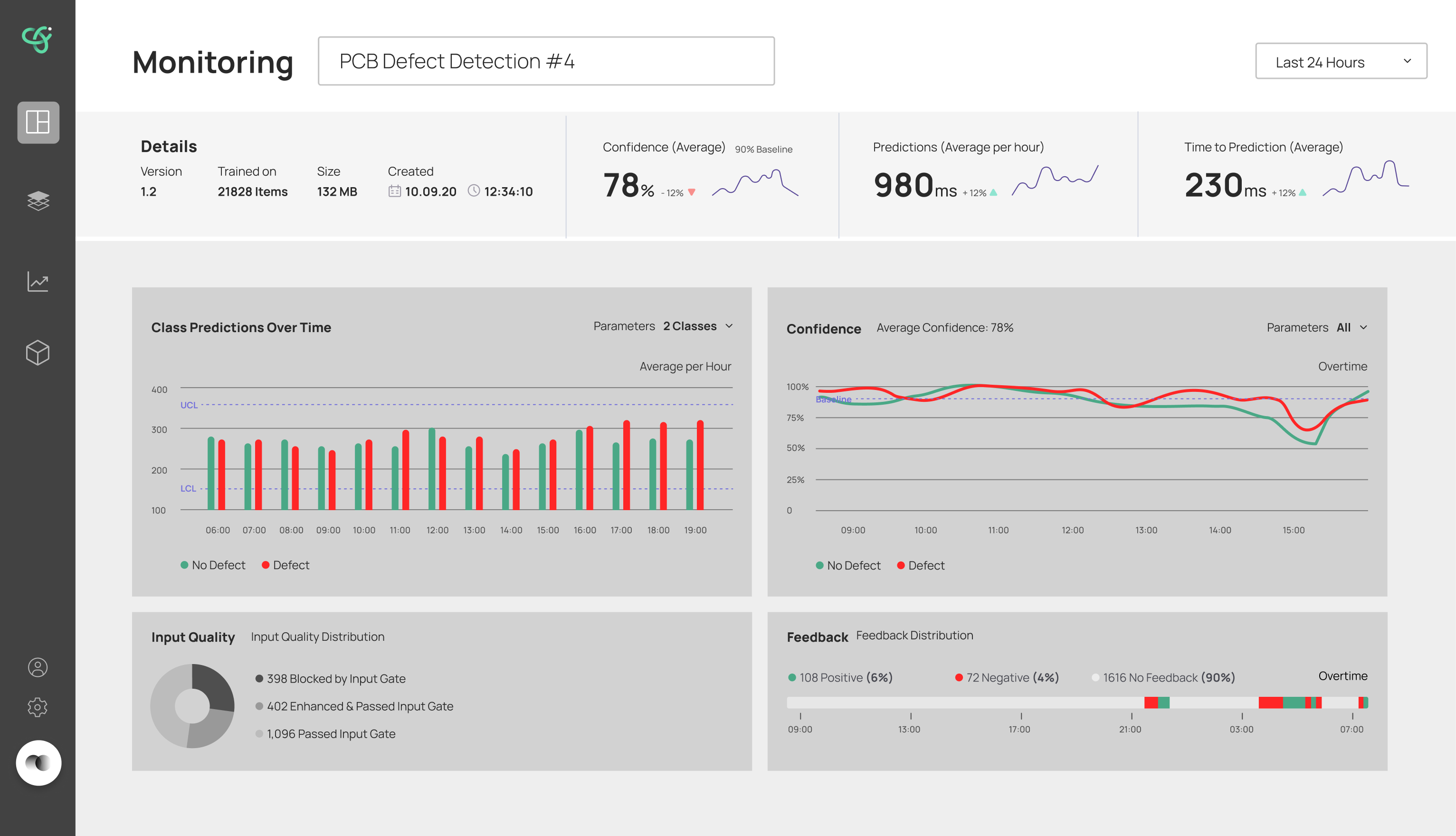
I explored wireframe directions for the core screens: the inference list, the retrain comparison, and the monitoring view, working in low fidelity first so the conversation stayed on flow and hierarchy, not visual polish. This is where I worked out what had to be visible at each step and what could wait: which metrics belong on the retrain screen, how to show a model mid-training, and how much monitoring detail to surface at once.
User flow
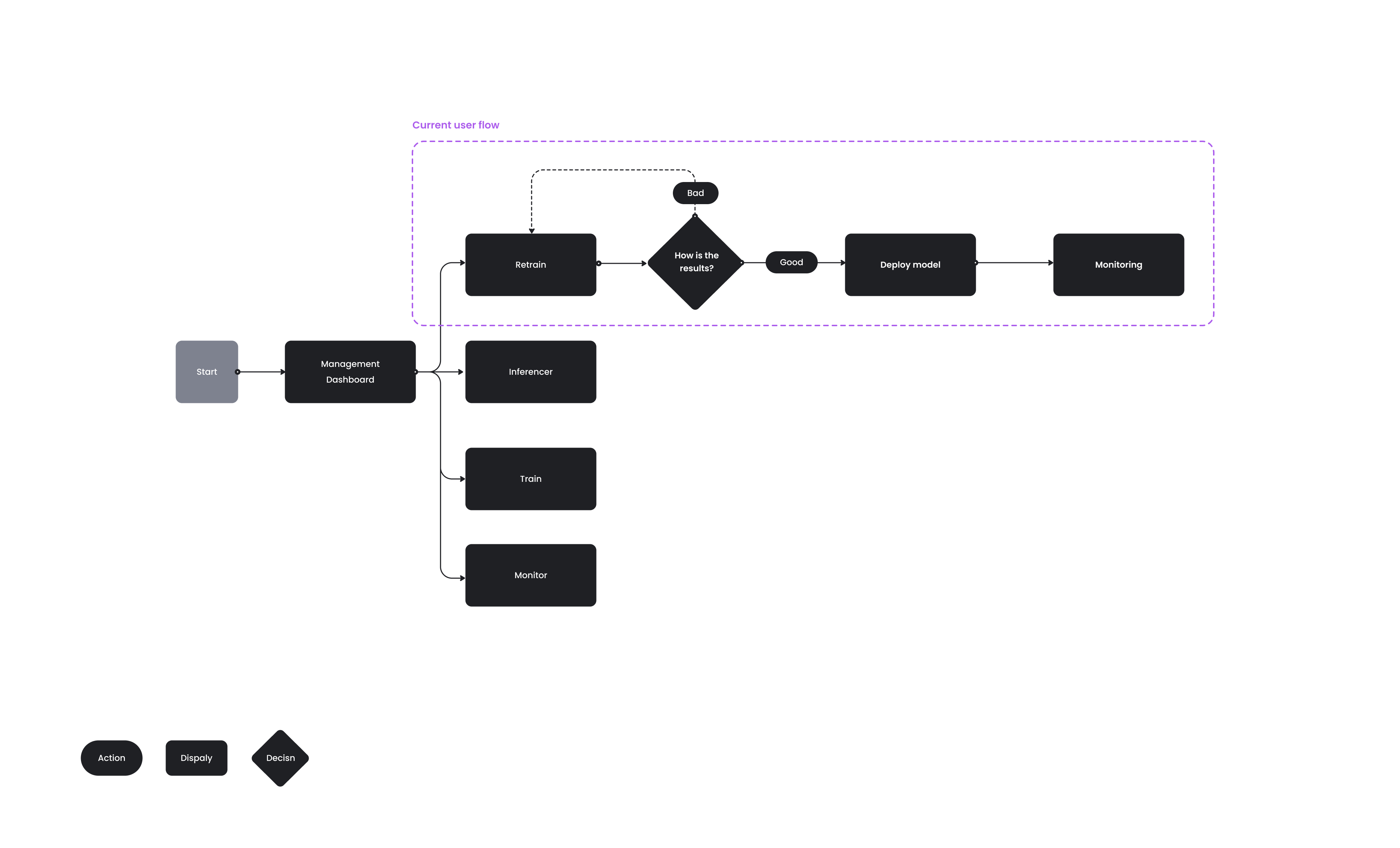
I mapped the full retraining journey: entering the system, selecting a model, viewing its metrics, spotting a drop in performance, investigating the cause, deciding whether to retrain, and tracking the results. Mapping it end to end showed where users needed reassurance and where a wrong turn would cost them trust.
Design system
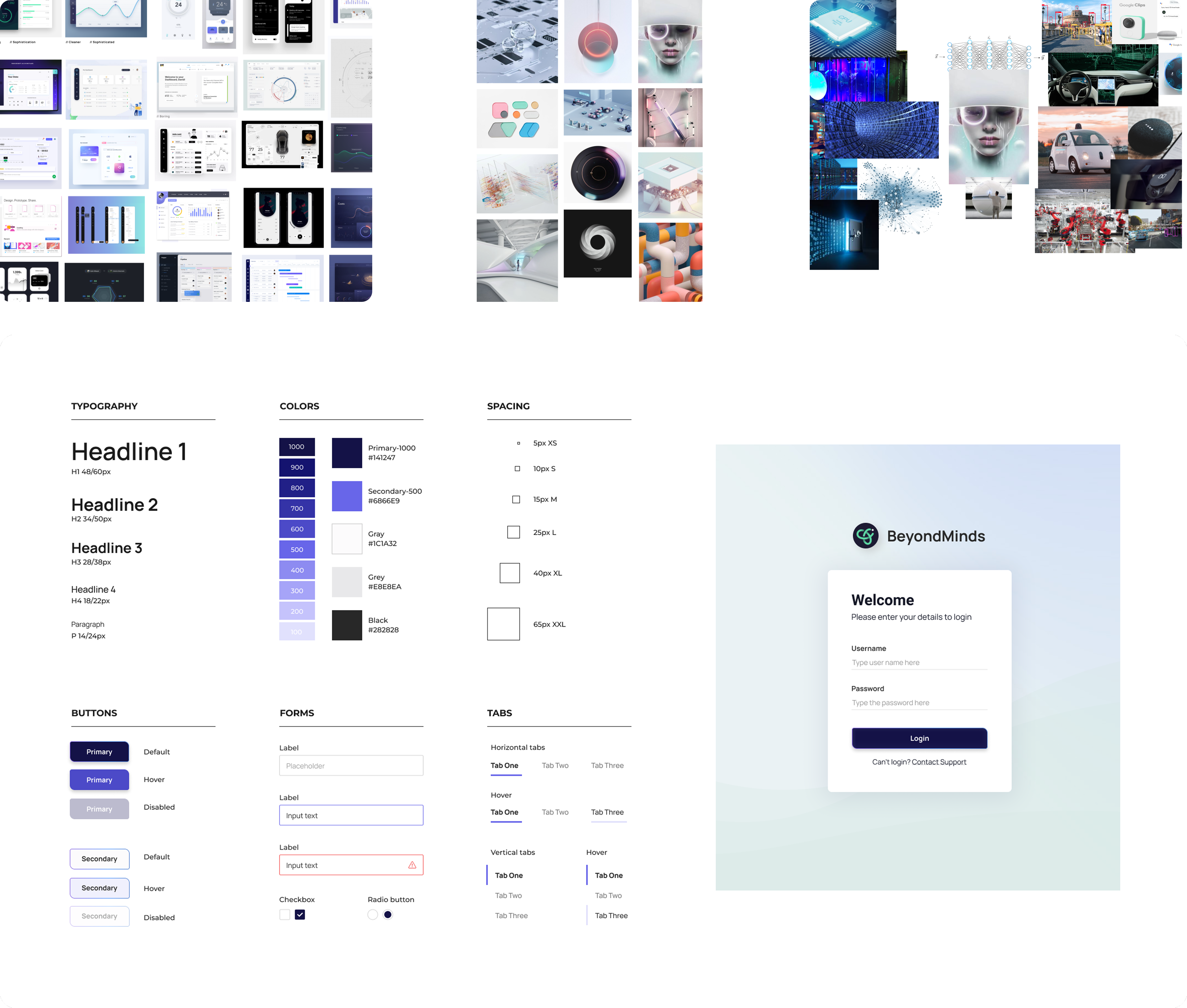
I built a dedicated design system for the product, starting from inspiration that matched BeyondMinds' brand identity: robust, innovative, modular, fresh and user-friendly. It covered typography, components, layout rules, data-visualization patterns, tables, charts and form elements, so the dense dashboards stayed consistent and legible.
The final design
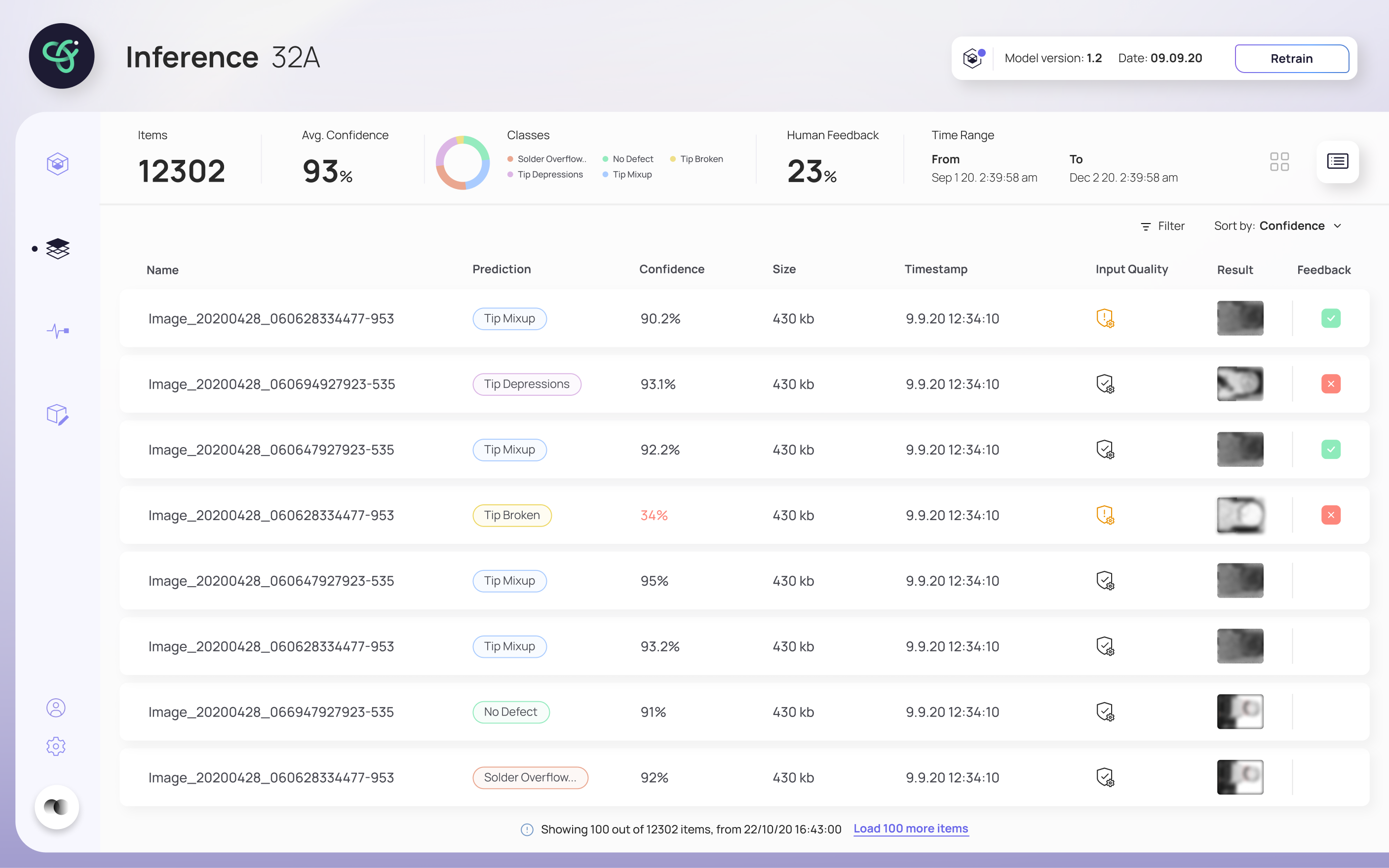
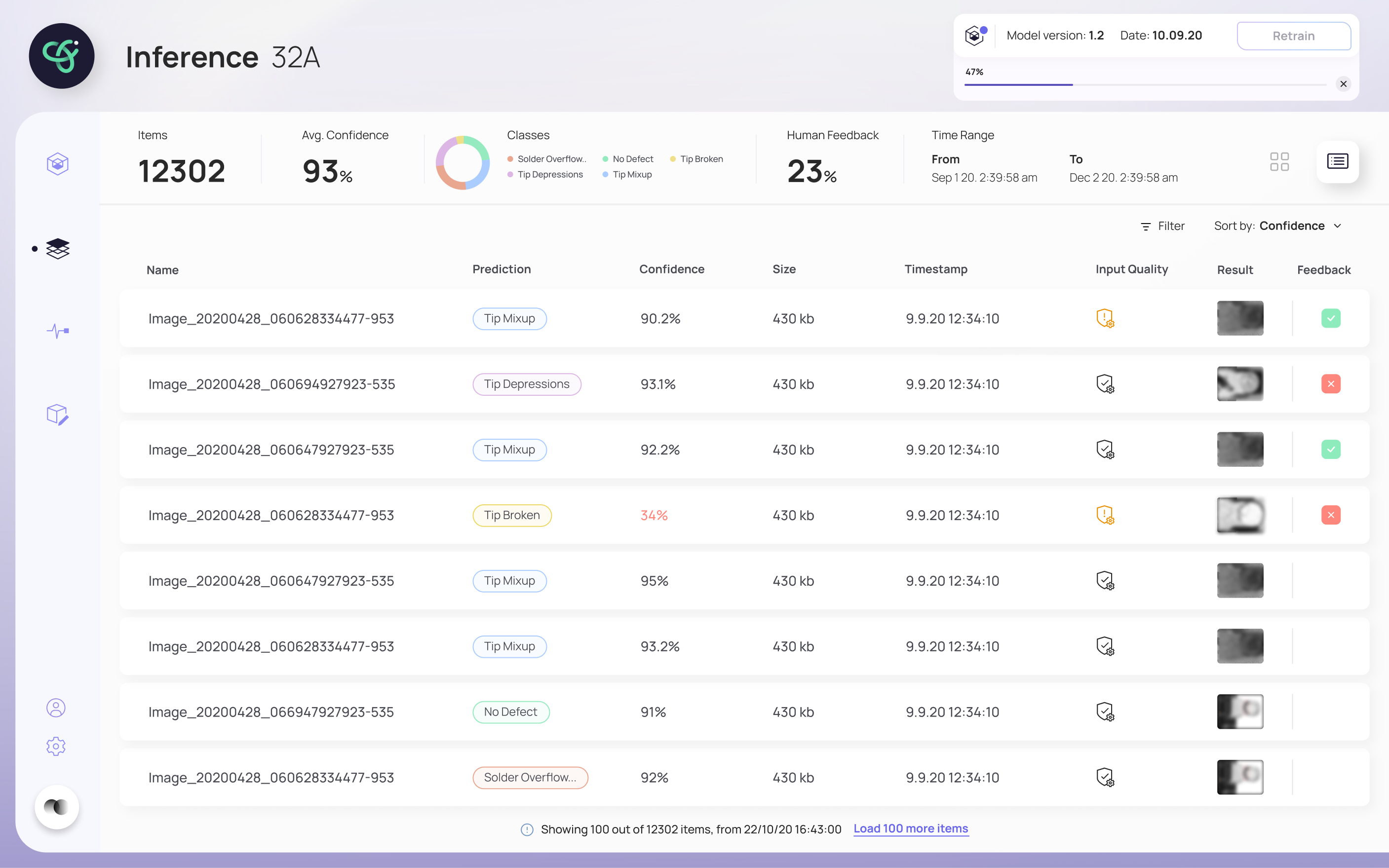
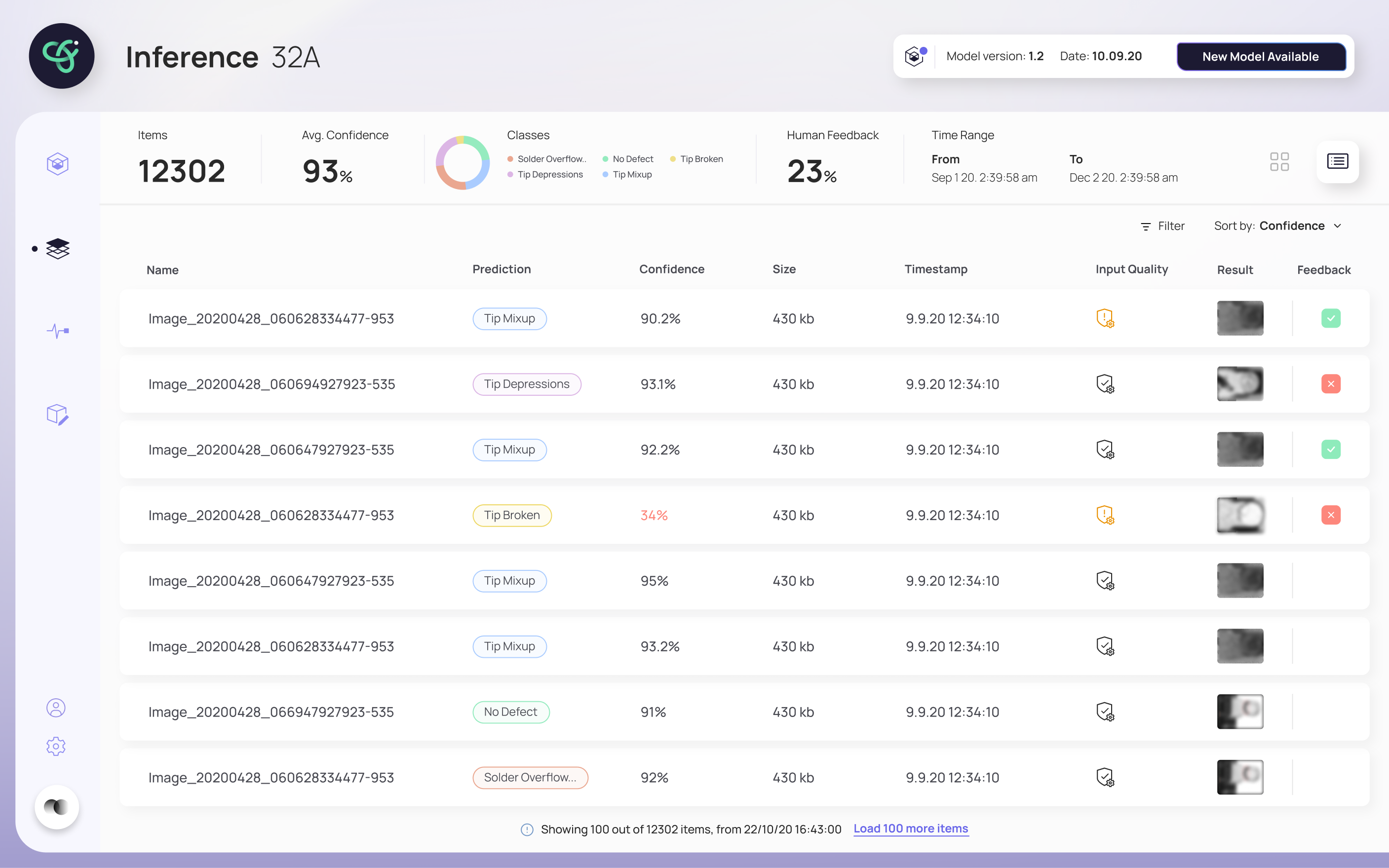
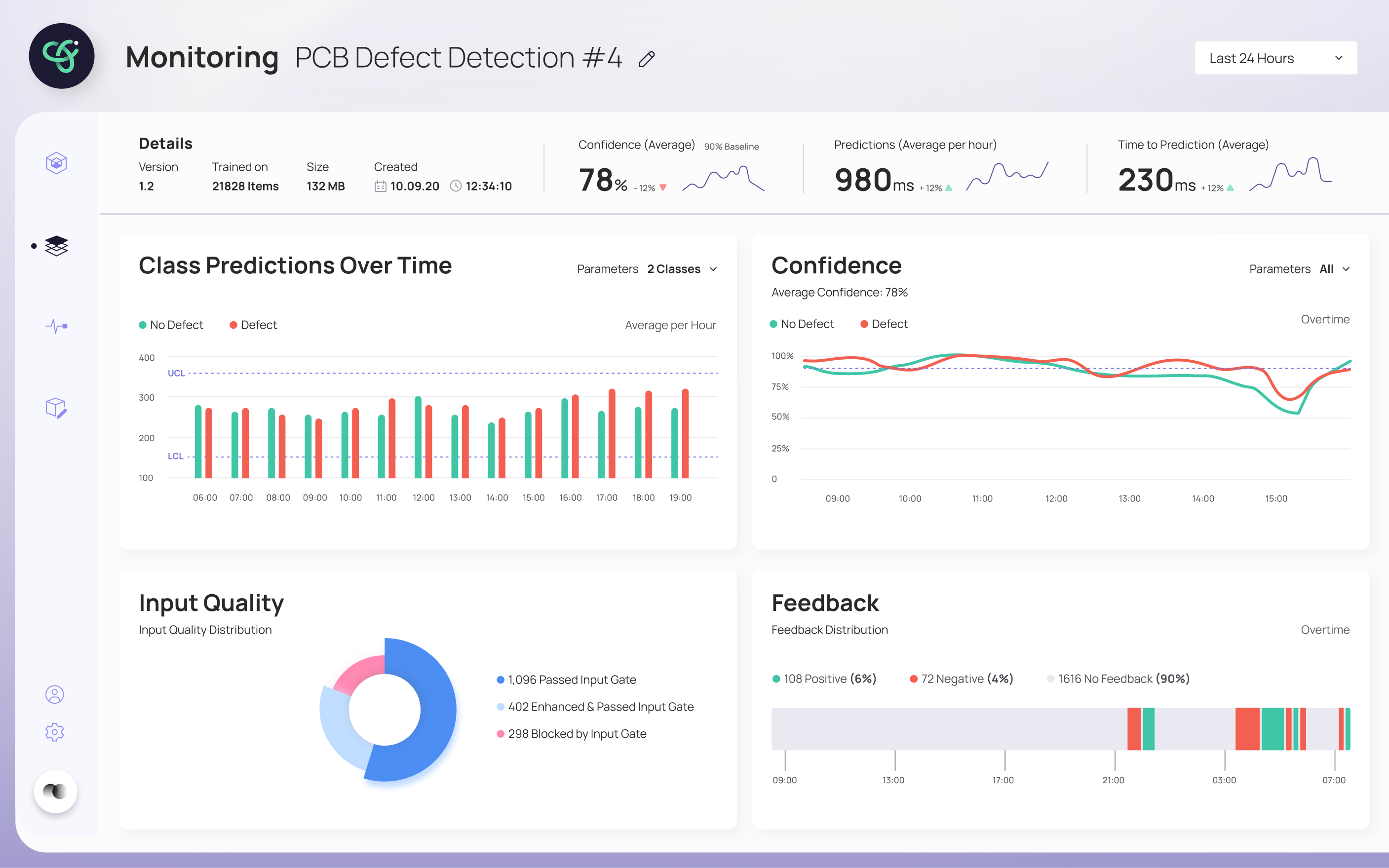
The final design walks a user through retraining without ever losing them. The inference screen flags when a model needs retraining and shows a clear process bar while it runs; when a new model is ready, it's surfaced for review. The retrain screen puts the new model's results head-to-head against the previous one: Precision, Recall, AUC and Dice Loss, so the deploy decision is based on evidence, not a leap of faith. A monitoring view tracks the model's health over time.
"Every screen answers one question: can I trust this model enough to deploy it?"
Reflection & what I learned
This was an early project, built from the ground up, there was no "old version" to fix, just a hard problem: how do you let someone who isn't a data scientist make a confident decision about retraining and deploying a model? The answer wasn't more data on screen. It was hierarchy, comparison, and a guided flow that made each step feel safe.
The research backs why this matters: retraining that feels unpredictable erodes trust and slows adoption, even when the model itself is sound. Designing for confidence, showing the new model against the old, surfacing only what each step needs, is what turns an accurate model into one people actually deploy.
- Built a dedicated design system from scratch: moodboards, UI foundations and a component library, so dense, data-heavy dashboards stayed consistent and legible.
- Reframed a deeply technical task as a trust problem: the design's job wasn't to show the model worked, but to help a non-expert believe it enough to act.